Making an offer
Use the New offer tab when you want people to come to you.
Where your offer goes
Offers are published to the relays in Settings → Relays. A paid relay rejects your offer until your key has paid its fee. That fee is what makes an identity cost something, and why people may take offers from paid relays more seriously (see Trading safely).
To use a paid relay, copy your npub from Settings → Your key, open the relay’s website and pay for that npub.
After publishing, the app tells you how many relays took the offer, for example “offer published to 2/7 relays”. One is enough, as long as the people you want to reach read from it.
The form
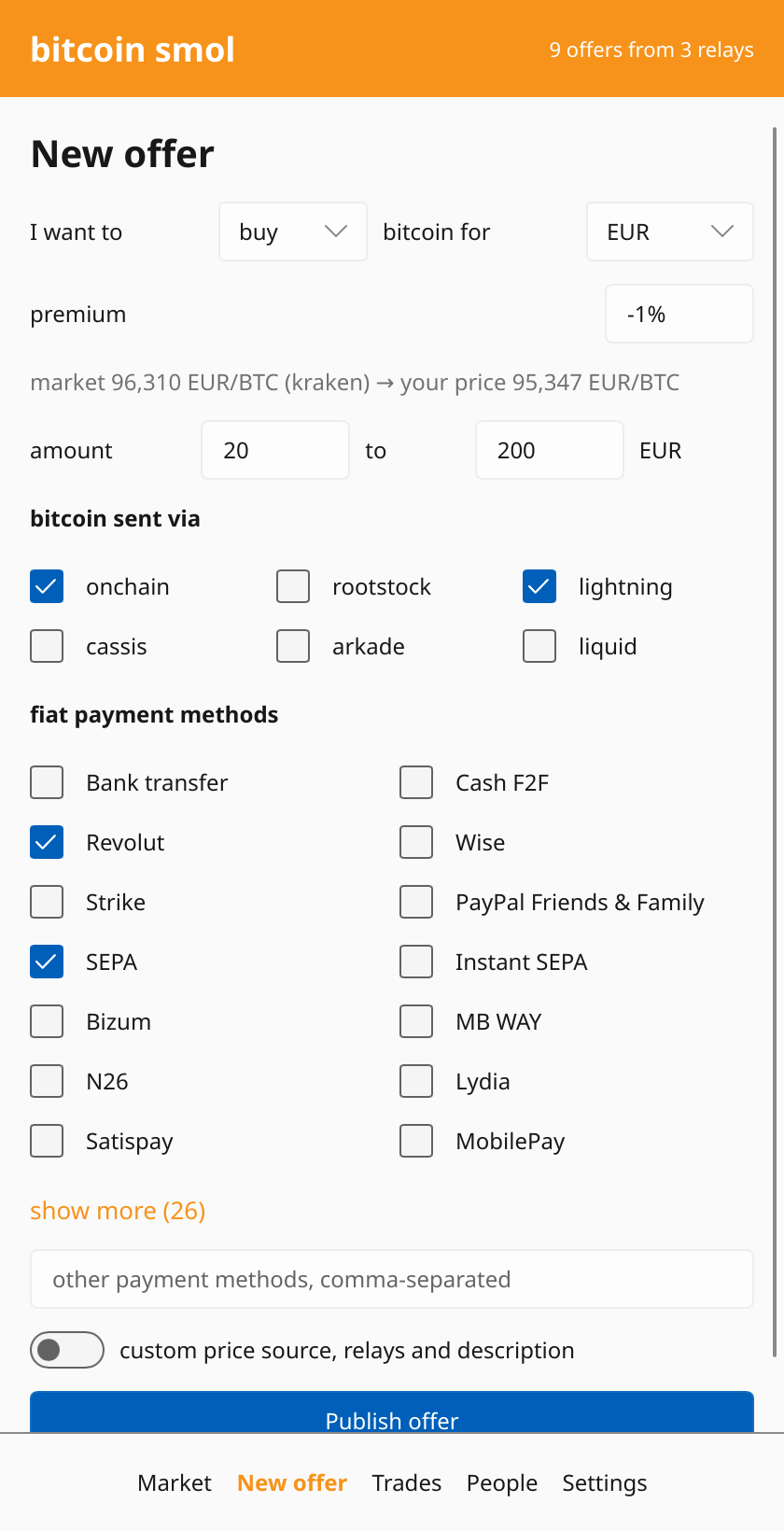
- I want to sell / buy bitcoin for a currency.
- premium: how far from the market price you trade.
+2%means whoever buys from you pays 2% above market. Leave it empty to trade at the market price. - amount: how much of your currency you want to trade, from a minimum to a maximum. The maximum copies the minimum as you type, for a fixed amount; change it to accept a range.
- bitcoin sent via: how you can send or receive the bitcoin. Pick at least one.
- fiat payment methods: how the money moves. Methods common for your currency are shown first, and you can type others.
- relays for the negotiation (under “custom price source, relays and description”): where people reach you about this offer. They can be different from the relays the offer is published to.
- description (in the same section): hours, anything else people should know. “Evenings only” is a good start.
The form remembers what you picked in your last few offers, so the next offer is usually one tap away.
After publishing
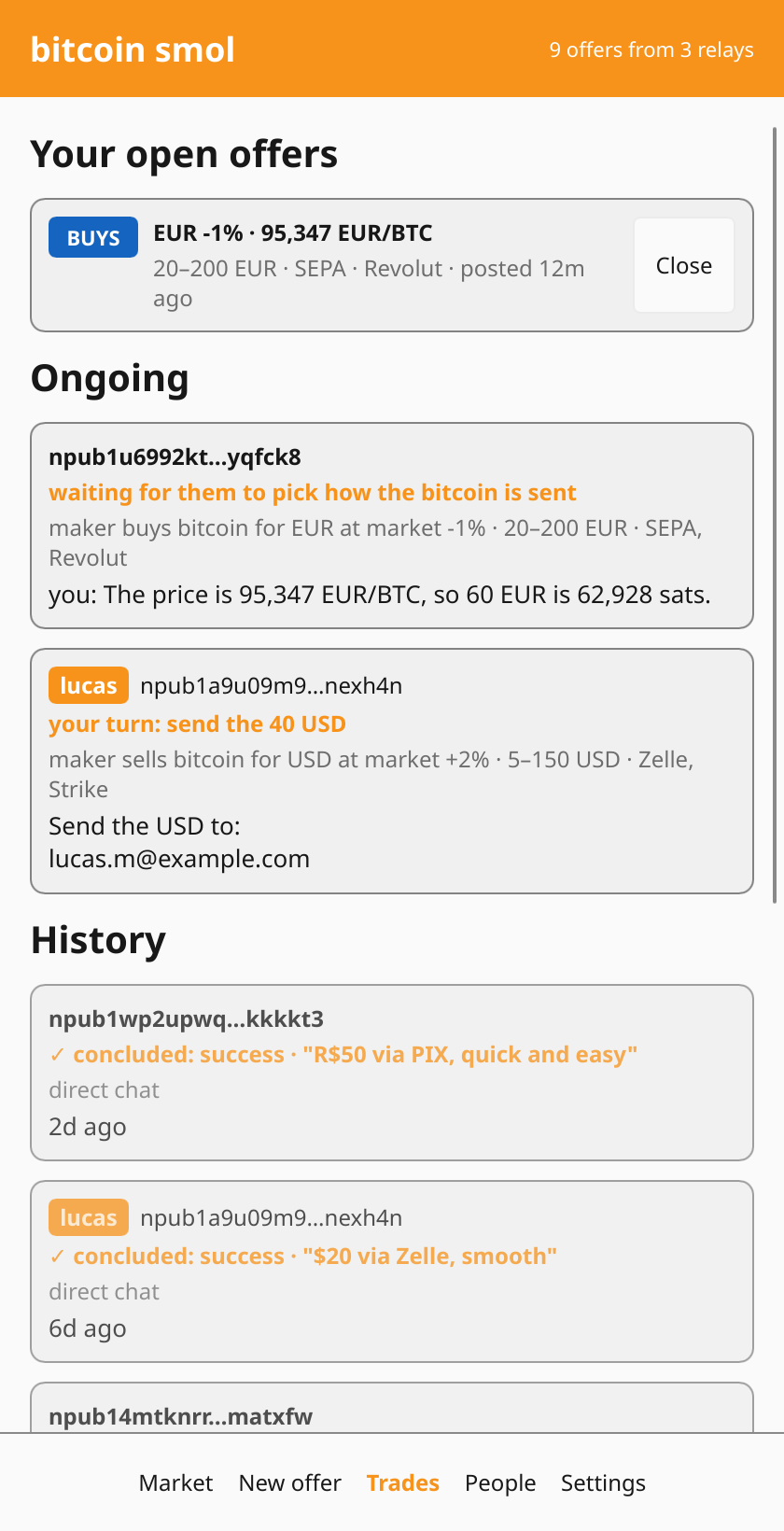
Your offer stays up for 3 hours, then disappears on its own. To keep trading, publish it again. You can close it earlier from Trades → Your open offers.
When someone answers, a new chat appears under Trades → Ongoing. Check their history before agreeing to anything, exactly as you would when taking an offer. You don’t have to trade with everyone who writes to you.
Your offer is public
Anyone can see your offer and your npub. They can’t read your chats. See Privacy for what else is visible.
next: Taking an offer →