Taking an offer
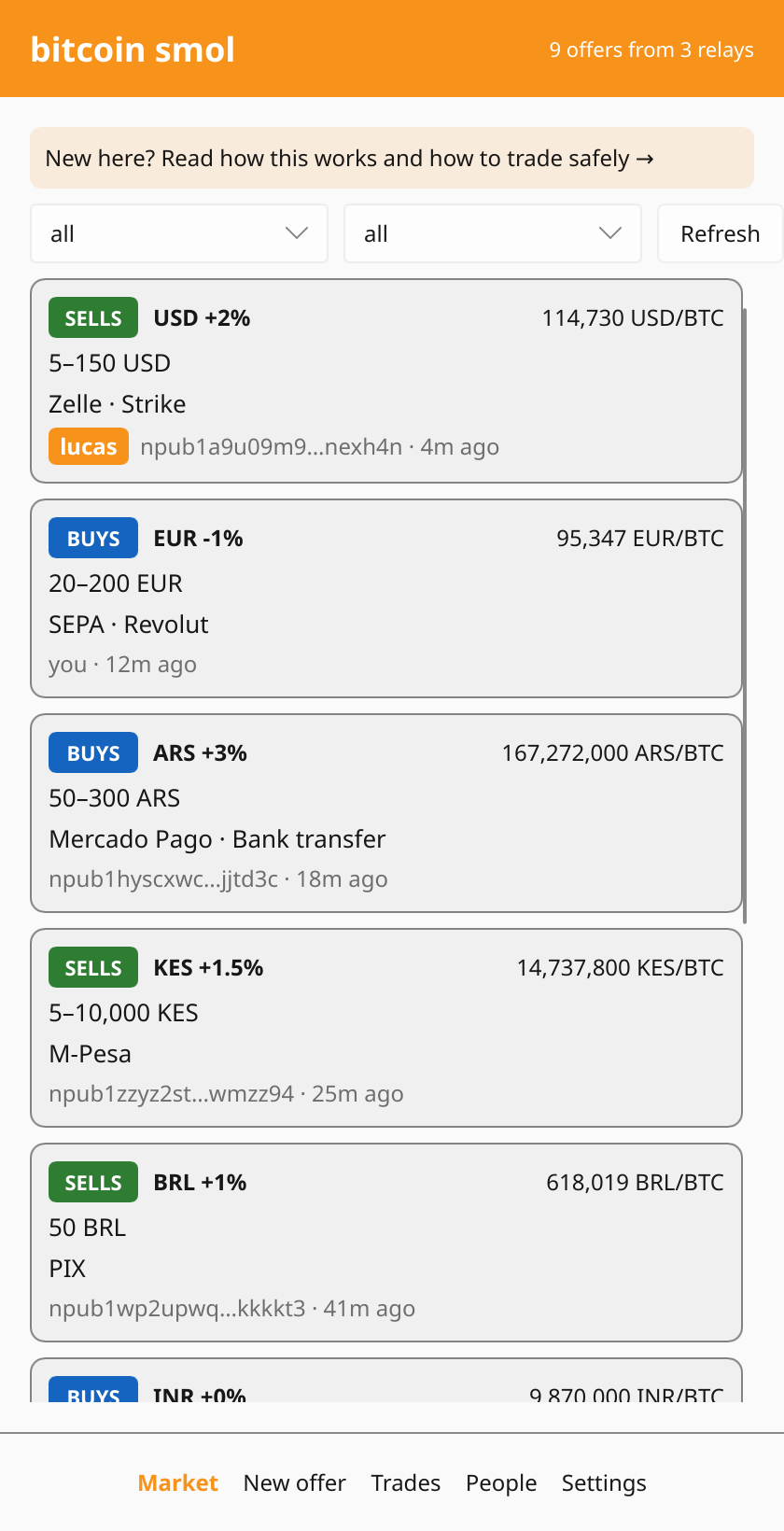
The Market tab lists offers posted in the last 3 hours. Filter them by currency, and by whether the person wants to buy or sell bitcoin.
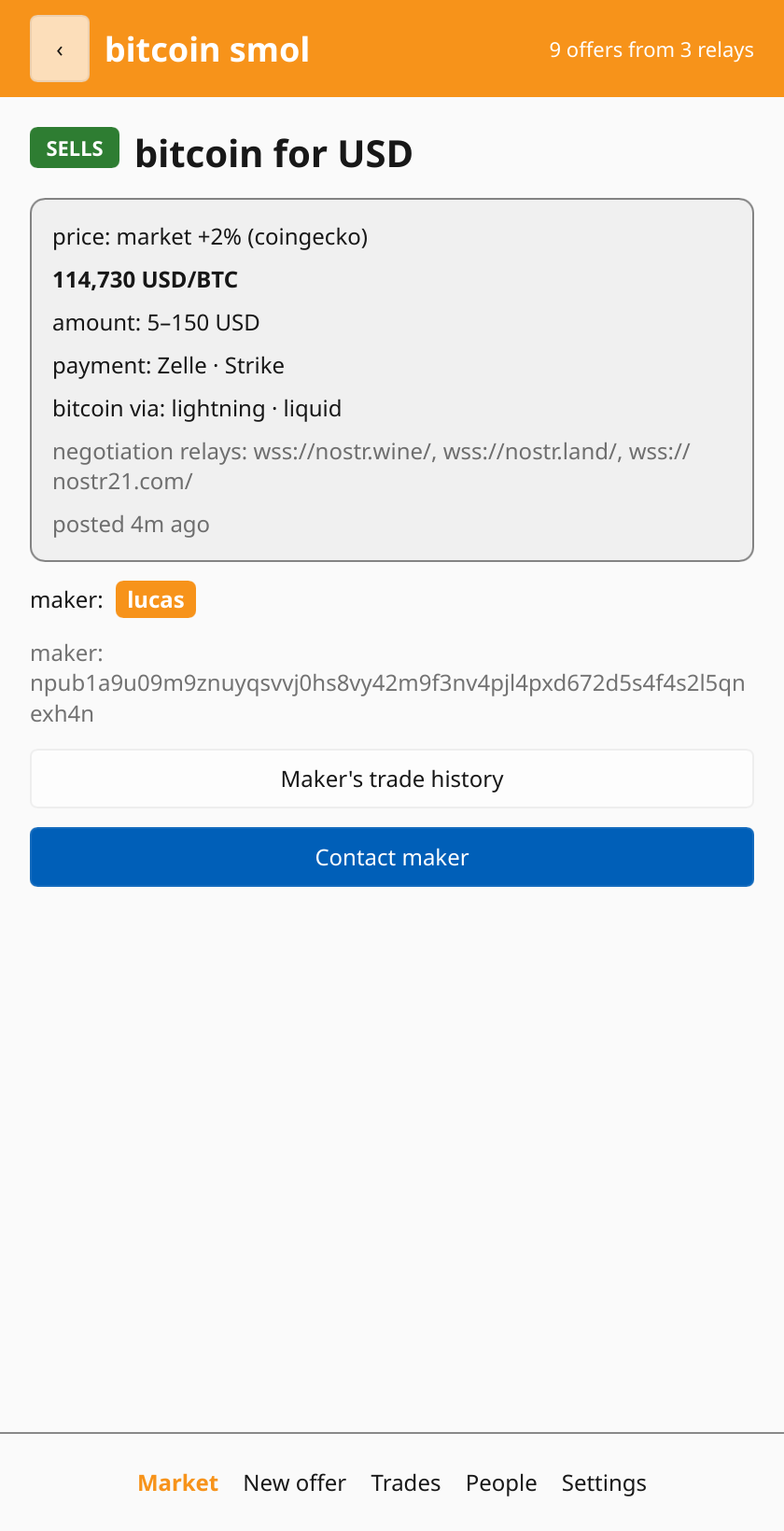
Each offer shows:
- the price: the market price plus or minus a premium.
+1%means the bitcoin costs 1% more than the market price, and-1%means 1% less. The app shows where that market price comes from. - payment: the ways the other person can send or receive the money, like GCash, a bank transfer, Revolut or cash.
- bitcoin via: how the bitcoin side is sent, like lightning, onchain or liquid.
- a description: limits, hours or conditions, in the maker’s own words.
Before you contact anyone
Open the offer and check the maker’s trade history. It shows what you said about them in past trades, and what the people you trust said about them. See Trading safely for how to read it.
No history isn’t a red flag in itself: everyone starts with none. It just means you should start very small.
Contact and agree
Tap Contact maker to open a private chat. Next to it, the trade shows what has been agreed so far and what has to happen next:
- you pick the amount, and how the bitcoin and the money are sent, among what the offer allows,
- each of you gives the details for what you receive, like the bank account or the lightning invoice. Check them twice before sending: wrong details can mean money lost for good,
- you, the taker, send first, and tap the button saying so. Then the maker sends their part.
Each of these sends a message in the chat, so the other side sees it too.
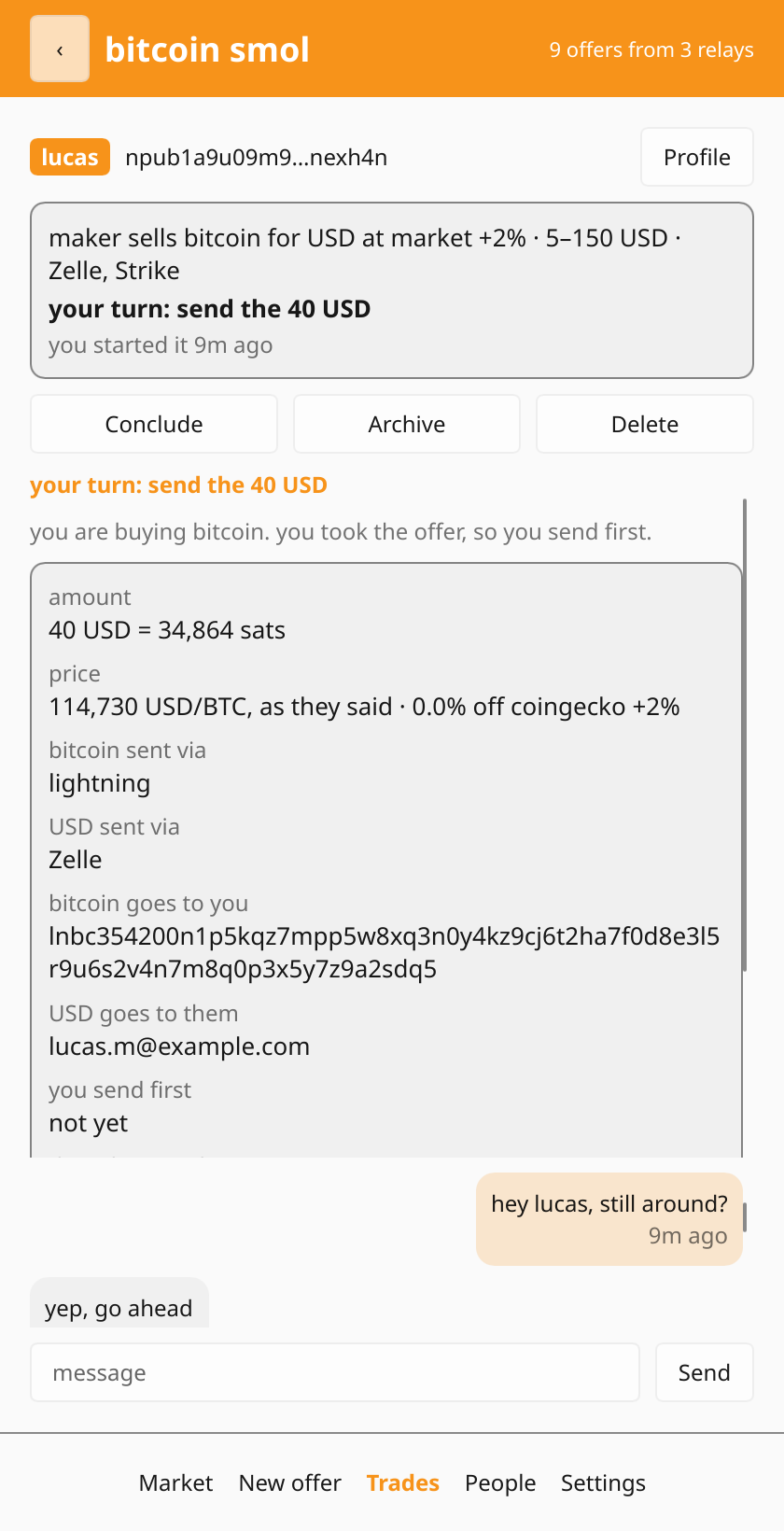
Once you pick the amount, the maker’s app answers with the price: the market price from the offer’s source plus its premium. From then on that price is fixed for the trade, and it decides how many sats the amount is. Your app checks it against the same source and warns you if it is too far off. If it is, ask them about it before going any further. Anything else you settle by chatting.
The trade appears under Trades → Ongoing. Once it’s done, tap Conclude to say how it went. That publishes a short report about the other person, which helps you and the people who trust you next time. Archive puts the trade away without a report.
next: Getting started →